Simple tool for connecting via Wi-Fi QR codes
WiFi QR Code Scanner is a straightforward utility designed to simplify connecting to wireless networks. Instead of manually entering passwords, users can scan QR codes to gain instant access. The app supports scanning and generating QR codes, enabling secure sharing of network credentials for personal or professional use. Its intuitive design ensures fast setup and smooth operation on devices.
WiFi QR Code Scanner converts network information into scannable codes, reducing errors and saving time. It suits offices, cafes, classrooms, and events where quick, secure access is needed. This free app also stores scanned networks for effortless reconnection without re-entering credentials.
Seamless connectivity and QR features
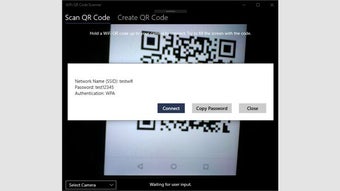
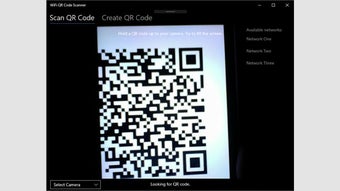
WiFi QR Code Scanner features a lightweight design that delivers efficient performance across various systems. Users can scan QR codes from screens, printed labels, or shared files, connecting automatically without navigating multiple menus. This seamless process simplifies network access for casual users and professional environments, minimizing setup time and reducing errors.
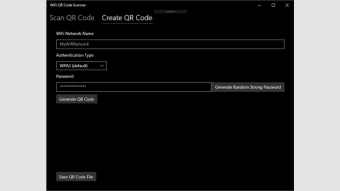
In addition to scanning, the software can generate QR codes for sharing Wi-Fi credentials. These codes can be displayed or printed, making it simple for customers to access networks securely. The app also maintains a history of scanned networks for quick reconnections, reducing repeated setup. Its dual capability of scanning and generating code streamlines wireless access and improves convenience for a wide range of users.
While effective, the app focuses solely on QR-based network access. It lacks advanced network management features, analytics, or monitoring tools, so users needing more comprehensive Wi-Fi control may find it limited. Those expecting customization beyond QR scanning may notice the absence of deeper configuration settings. However, for users whose priority is a quick and secure Wi-Fi connection through QR codes, this streamlined approach remains sufficient and easy to manage.
Efficient and straightforward wireless access
WiFi QR Code Scanner delivers a practical solution for fast and secure Wi-Fi connections using QR codes. Its combination of simplicity, reliability, and QR code management makes it suitable for home, office, or public environments, enhancing network accessibility while maintaining safety. By reducing the need to enter passwords, it streamlines connections for users, providing a consistent and user-friendly experience across devices and settings.